
Motor Policies
All Motor Policies Management
This section provides complete oversight of motor insurance policies, including advanced search functionality, filtered listings, and tools for creating and tracking vehicle insurance policies.
All Motor Policies Listing
The motor policies listing displays all vehicle insurance policies in a structured table format with essential information and management tools.
<!-- TODO: Update when the page is loaded with actual policy data --> 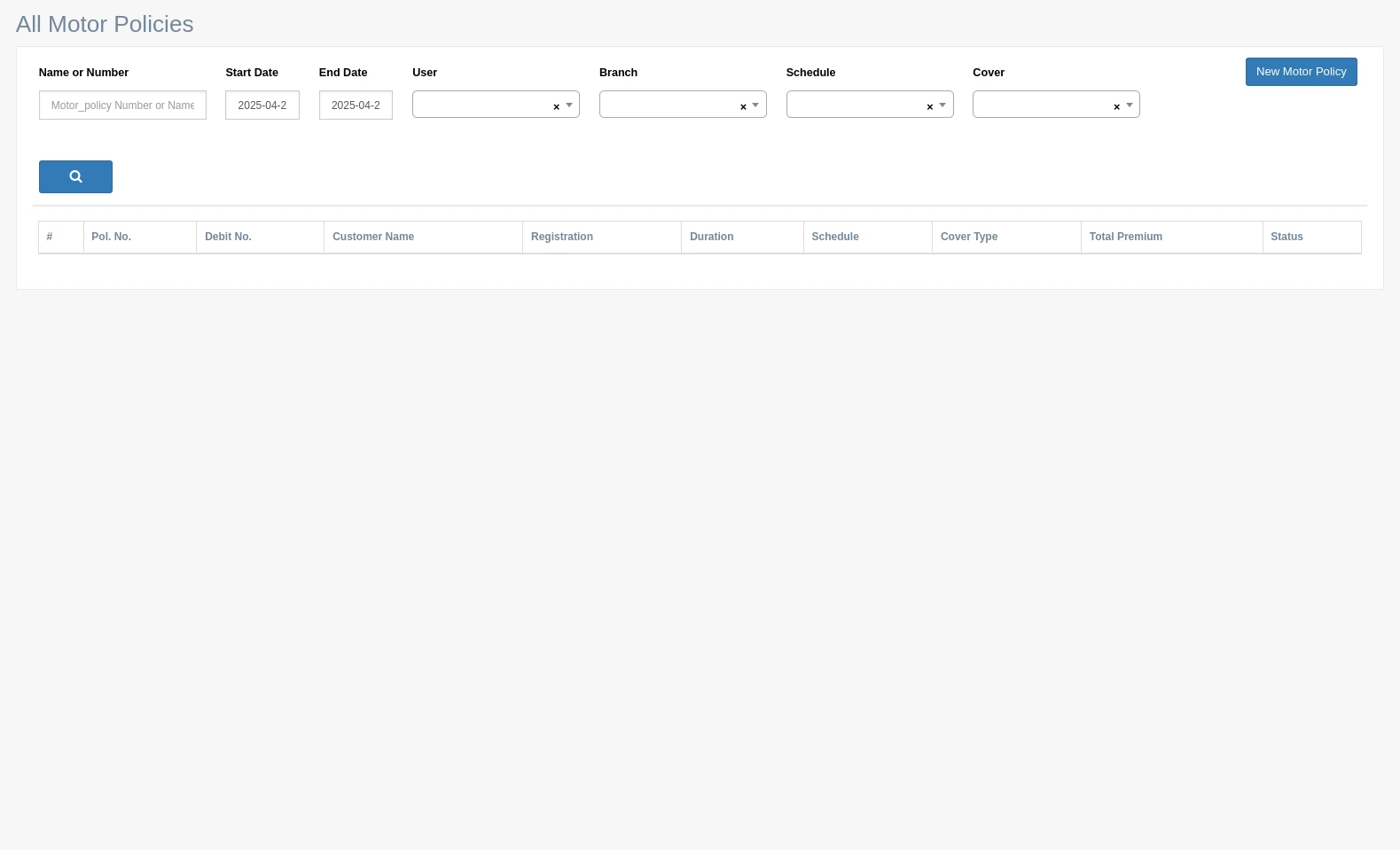
Accessing the Motor Policies List
- Log into the Insurance Management System
- Select "Motor Policies" from the Policies menu in the sidebar
- The system displays the default motor policies listing view
Policy Table Structure
The motor policies table includes these columns:
# Sequence number | 1, 2, 3... |
Pol. No. System-generated policy number
Debit No. Associated debit note number
Customer Name Policyholder's full name
Registration Vehicle registration number
Duration Policy coverage period
Schedule Policy schedule type
Cover Type Type of insurance coverage
Total Premium Total premium amount for the policy
Status Current status of the policy (Active, Expired, etc.)
Table Features
Pagination:
- Navigate through policy pages using numbered links
- Default display settings configurable per user preference
- System shows current range of displayed records

Search Functionality:
- Comprehensive search across all policy fields
- Filter by specific criteria (date range, policy number, etc.)
- Clears with single click on 'x' indicators

Action Buttons:
- New Motor Policy: Opens the policy creation form
- Search: Executes the search with selected filters

Policy Search Options
Advanced Search Filters
The system provides multiple filter options to narrow down policy searches:
Name or Number:
- Search by policy number or customer name
- Supports partial matching for convenience
- Input field: Text box for policy number or name
Date Range Filters:
- Start Date: Beginning of policy coverage period
- End Date: Expiration of policy coverage period
- Input fields: Date pickers with calendar selection
User Filter:
- Filter by the system users who created or own the policy
- Dropdown selection with user options
- Includes an empty slot to clear selection
Branch Filter:
- Filter policies by specific branch offices
- Dropdown selection with branch options
- Includes an empty slot to clear selection
Schedule Filter:
- Filter by policy schedule type
- Dropdown selection with schedule options
- Includes an empty slot to clear selection
Cover Filter:
- Filter by insurance coverage type
- Dropdown selection with cover options
- Includes an empty slot to clear selection
Search Execution
- Click the magnifying glass button to execute search
- System refreshes the table with matching results
- Each filter can be applied independently or in combination
Working With Motor Policies
Creating New Motor Policies
- Click "New Motor Policy" button in the top-right corner
- Complete the policy creation form with vehicle and customer details
- System assigns a unique policy number automatically
Policy Data Management
- Each policy record contains complete vehicle and coverage information
- Records are searchable by all key fields
- Date filters help identify upcoming renewals or expired policies
Policy Status Tracking
- Visual indicators show policy status (Active, Pending, Expired)
- Filter options allow focus on specific policy statuses
- System tracks policy lifecycle from creation through renewal
Best Practices for Motor Policy Management
Regular Searches: Perform regular searches for policies nearing expiration to initiate renewal processes
Consistent Data Entry: Use standardized formats for vehicle registration numbers and customer names
Filter Combinations: Combine multiple filters to quickly locate specific policy groups (e.g., all policies for a particular branch expiring within 30 days)
System-Generated Policy IDs
The system automatically assigns policy numbers in a standardized format:
- Prefix may vary by policy type
- Sequential numbering ensures unique identification
- Reference numbers maintain consistent format for reporting
Example policy lifecycle:
- New policy created with number MP0000456
- Policy remains retrievable by number throughout its lifecycle
- Renewal policies may reference original policy number for continuity
Date Format Standards
The system uses YYYY-MM-DD format for all date fields:
- Start Date: Initial coverage date (e.g., 2025-04-02)
- End Date: Final coverage date (e.g., 2025-04-02)
- Date filters apply this same format for consistency
Filter Clearing
Each filter field includes an 'x' indicator that allows:
- Single-click clearing of individual filters
- Reset to default view when all filters are cleared
- Maintaining some filters while clearing others
Data Visibility and Security
- Users can only view policies according to their permission level
- Branch filters restrict visibility based on user access rights
- System maintains audit trail of all policy searches and views